Safe Calling App
An iPhone app that helps older adults stay safe from phone scams, with family one tap away.

Protecting older adults from phone scams
This is an iPhone app that helps older adults avoid phone and message scams. It keeps the family members they already trust close by, inside the app, so help is always one tap away.
My role
- Product Design
- UX/UI Design
- Information Architecture
- Interaction Design
- Prototyping
- iOS
I designed the app end to end and built clickable prototypes to test how each flow felt before anything was built.
How phone scams work
Every day, older adults get calls from someone pretending to be their bank, the government or their insurance company. They trust the caller, and by the time the family finds out, the money is gone.
- 01
The call
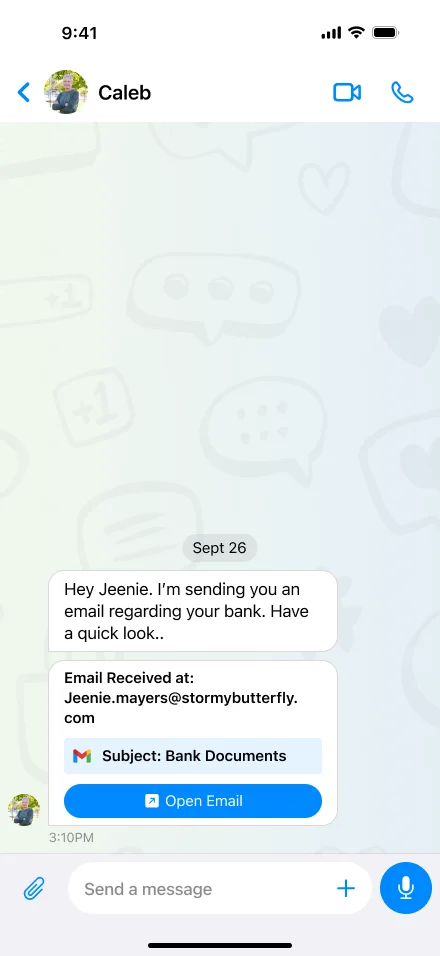
A call or message comes in using a name they trust, like their bank’s fraud team or a government office.
- 02
The rush
The caller says it’s urgent: an account at risk or a fine to pay. There’s no time to ask anyone.
- 03
The loss
They hand over their details. Nothing looks wrong, so nobody else sees it happen.
What I saw, and what I changed
I interviewed users and families, checked the app for accessibility, studied real scams, looked at why other safety apps get deleted, and watched people use the app on their own.
It was hard to know who to trust.
People couldn’t always tell if a contact was someone they knew or just an unfamiliar number.
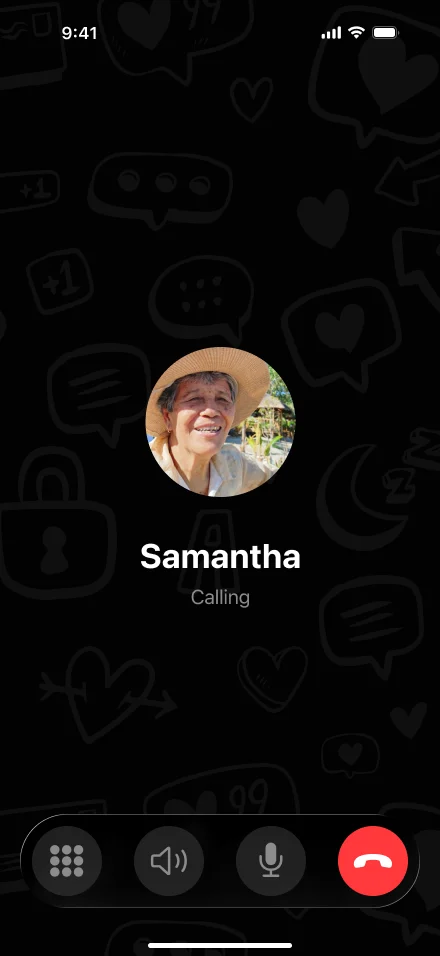
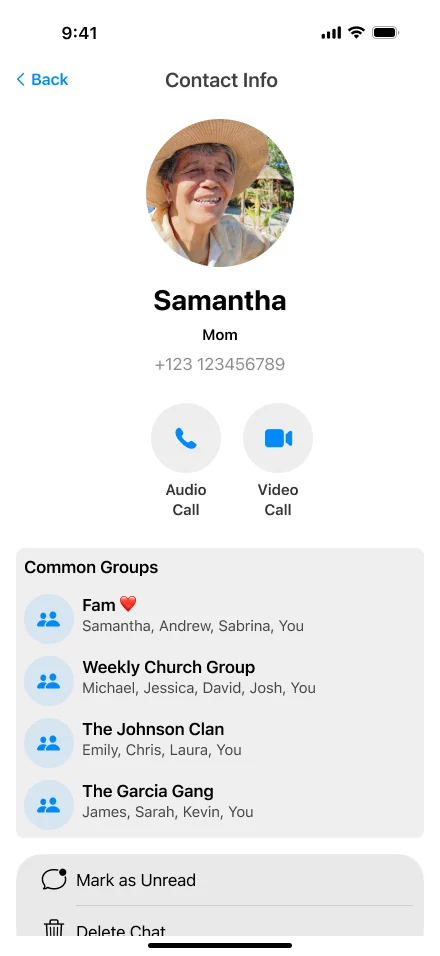
Contacts now show a large photo and the person’s relationship, like “Husband” or “Daughter”, instead of just a phone number.
People didn’t want to feel watched.
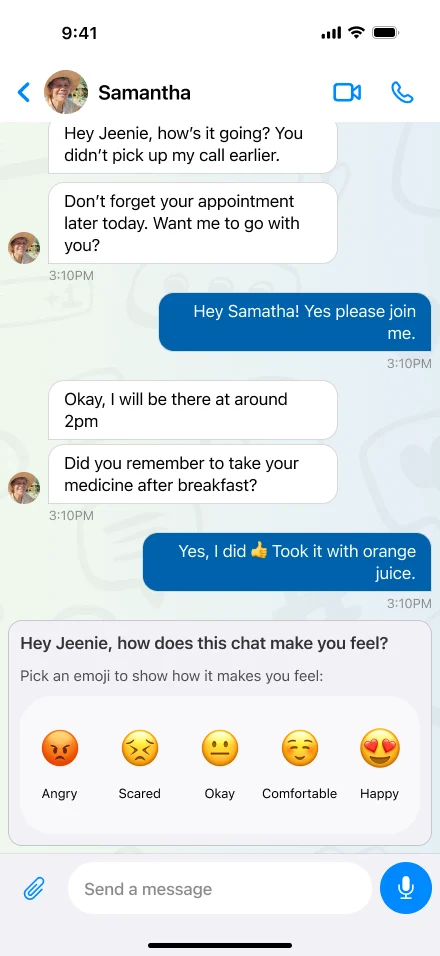
Families wanted to help, but users didn’t want an app that made them feel monitored.
Family support works through a normal chat instead of a separate monitoring screen.
Typing was difficult.
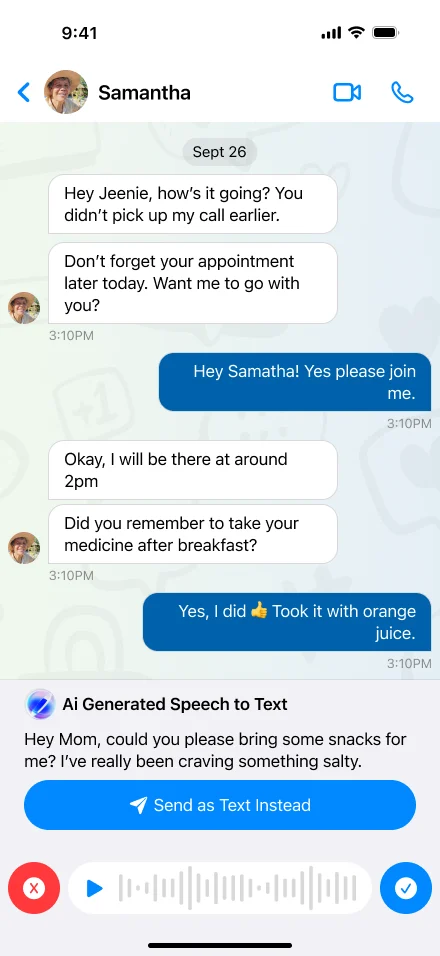
Some people struggled to type messages, especially when using a phone for a long time.
Users can speak their message instead. The app turns their speech into text and sends it as a normal message.
People didn’t know what to do when something felt wrong.
When users came across something suspicious, they needed an easy way to ask someone they trusted for help.
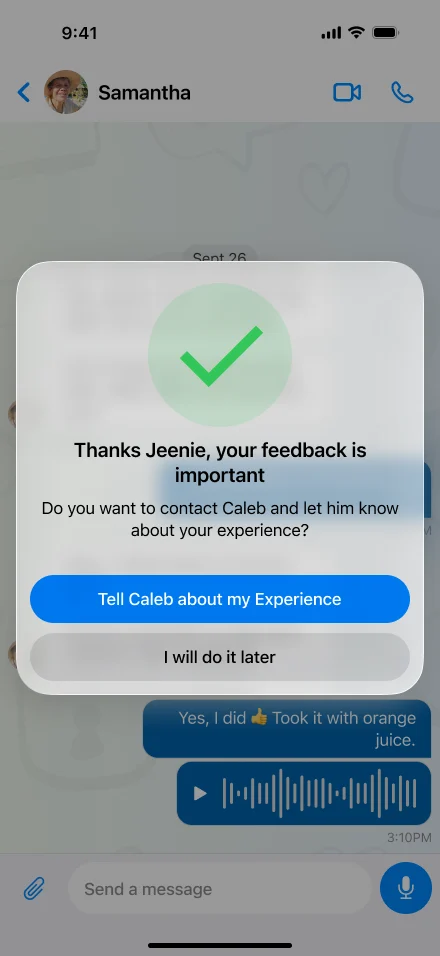
A trusted family member is just one tap away, right inside the chat.
Four rules I never broke
Written before any screen was designed, so every later decision could be checked against them.
- 01
Keep safety quiet
Protection works in the background and only shows up when it actually helps.
- 02
Keep them in charge
No screen should make someone feel managed. Family sits beside them, not above them.
- 03
One thing per screen
Each screen has one clear action, in plain words, with nothing to learn.
- 04
Help is one tap away
The moment someone feels unsure, a trusted person must be one tap away.
Family checks new contacts first
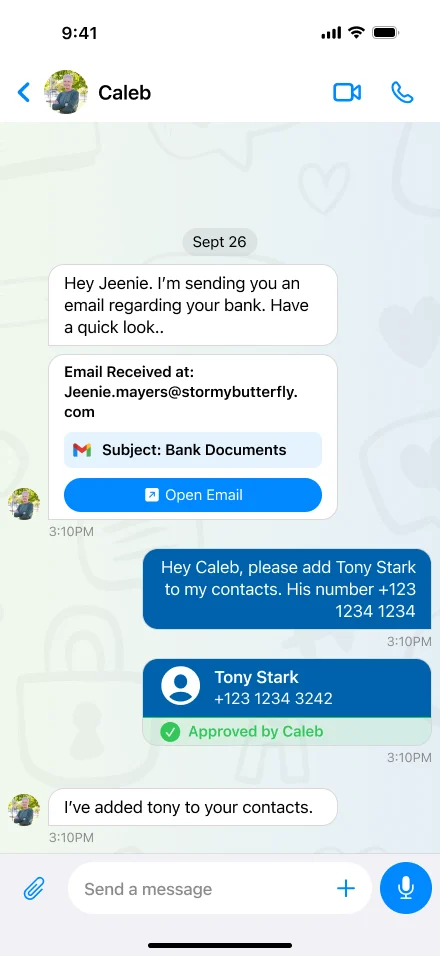
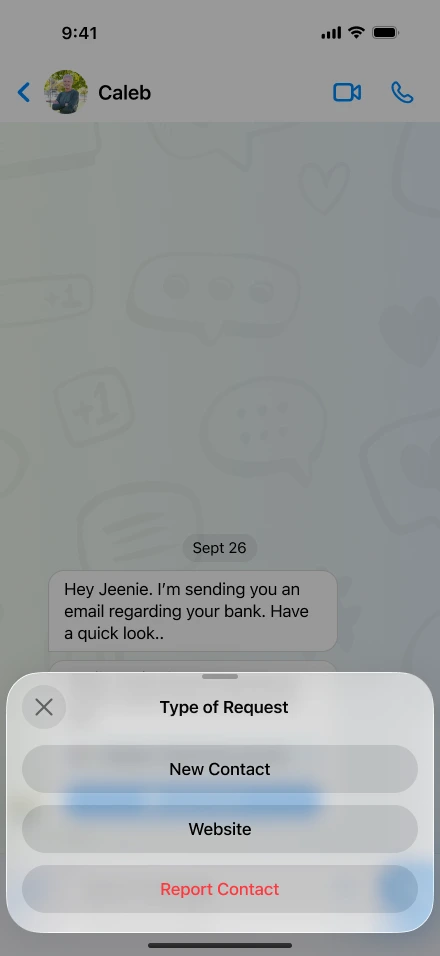
Many scams start with a new phone number or website. So before someone new is added, a family member checks it. For the user, it feels like sending a normal message.
- 01
Choose what to add
Pick a new phone number, website or app. Each choice is one big, easy button.
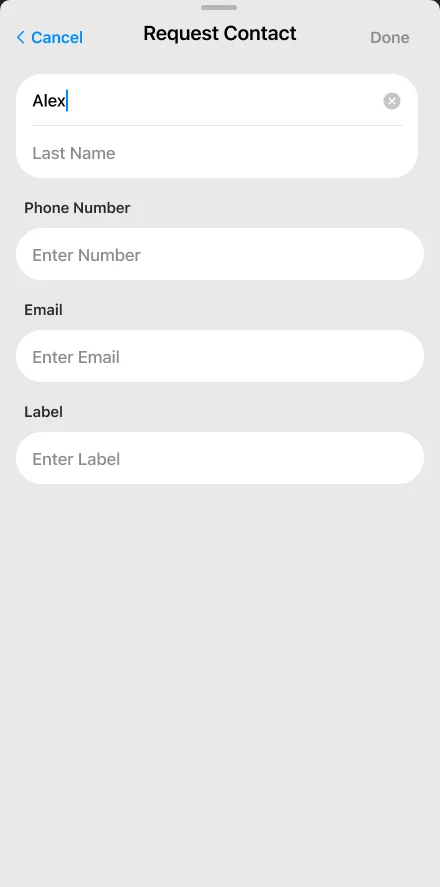
- 02
Fill in the details
Add the name and number in a short, simple form. No scary warnings.
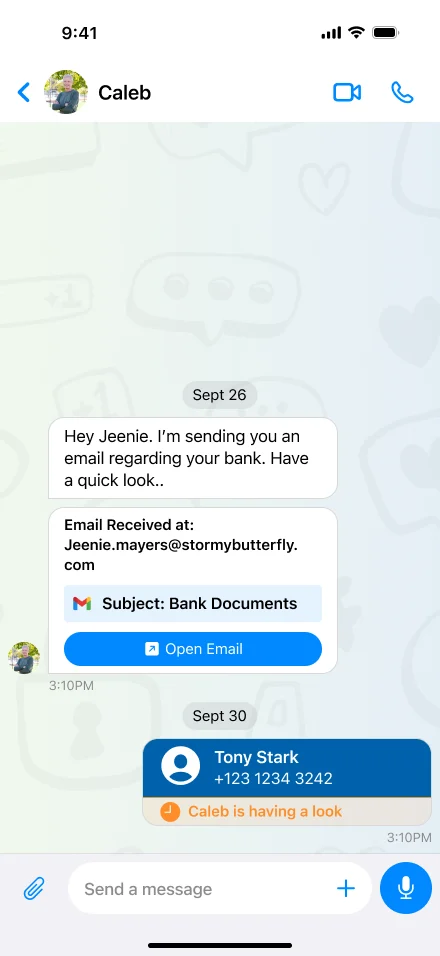
- 03
Family takes a look
The request appears in the chat with a message like “Caleb is having a look”, so the user knows it’s being checked.
- 04
Approved
When the family member says yes, the new contact is added. Everything happens in the same chat.
One chat for everything
Messages, help and family support all happen in the same chat, so there is only one thing to learn.
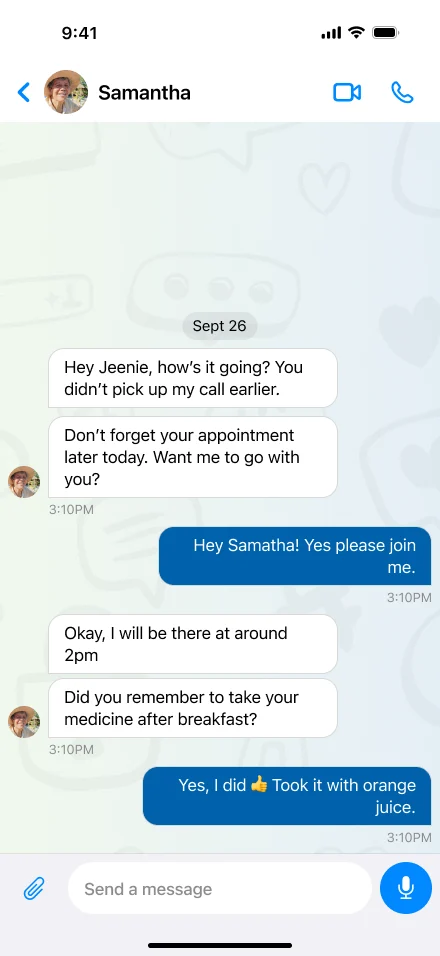
Texting family works like any messaging app, with a big microphone button.
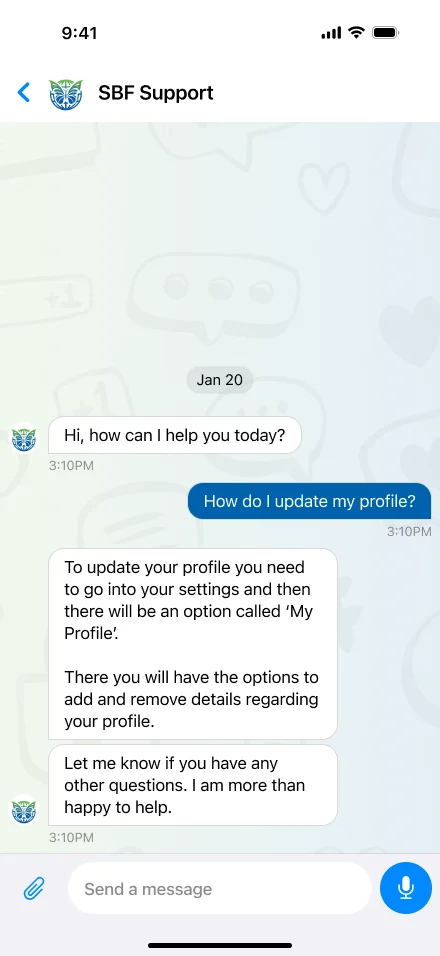
Need help? Support is in the same chat. No help centre to search.
Approvals and check-ins from family arrive as normal chat messages.
Keeping someone safe works best when it doesn’t make them feel watched.
In testing, every safety feature that felt like supervision was rejected. Every one that felt like a normal conversation got used.
Stay connected. Stay protected.