UpStart PIM
How online stores set up what they sell, from one detail like “Size” to a full product page.
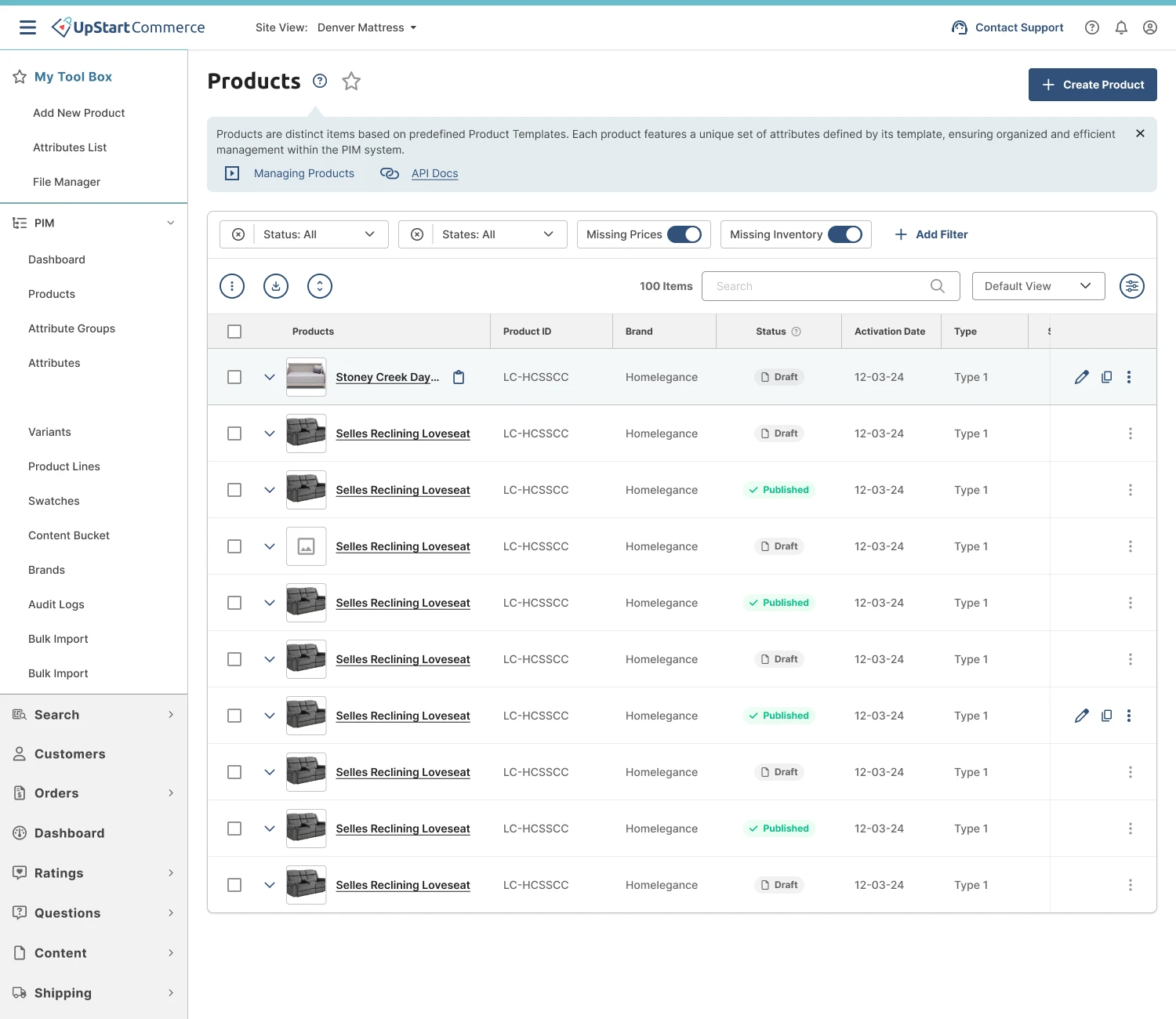
Before a product can be sold online, the store has to describe it: its name, price, photos, sizes and materials. A PIM (product information manager) is where all of that is set up and kept in one place, so every product page shows complete, consistent information. UpStart’s merchants use it to run catalogues of thousands of products. I redesigned it end to end.
Every kind of product needs different details
A mattress store doesn’t only sell mattresses. It also sells pillows, bed frames, warranties and delivery. Each one needs different information on its product page.
A mattress isn’t a warranty
A mattress needs a size and a firmness. A warranty needs a length of cover. One fixed form can’t fit both.
Missing details cost sales
If a shopper can’t find the size or material, they leave or buy the wrong thing and return it.
Thousands of products
Teams add and update products all the time, so setting each one up by hand doesn’t scale.
Set up the details once, reuse them for every product
The PIM is built from four pieces that stack on top of each other. Here is how a mattress store would use them.
One detail each
- SizeText
- FirmnessText
- MaterialText
- WidthNumber
- LengthNumber
- HeightNumber
Details that go together
- Width
- Length
- Height
Added as one, never forgotten one by one.
The form for “Mattress”
- ⋮⋮Core informationName · Price · PhotosLocked
- ⋮⋮ComfortFirmness · Material
- ⋮⋮SizeSize · Dimensions
Ready for the store
- Size
- Queen
- Firmness
- Medium
- Material
- Memory foam
- Dimensions
- 60 × 80 × 12 in
Create the details once, bundle the ones that belong together, arrange them into a template, and every new mattress starts with the right form.
The same flow, screen by screen
- 01
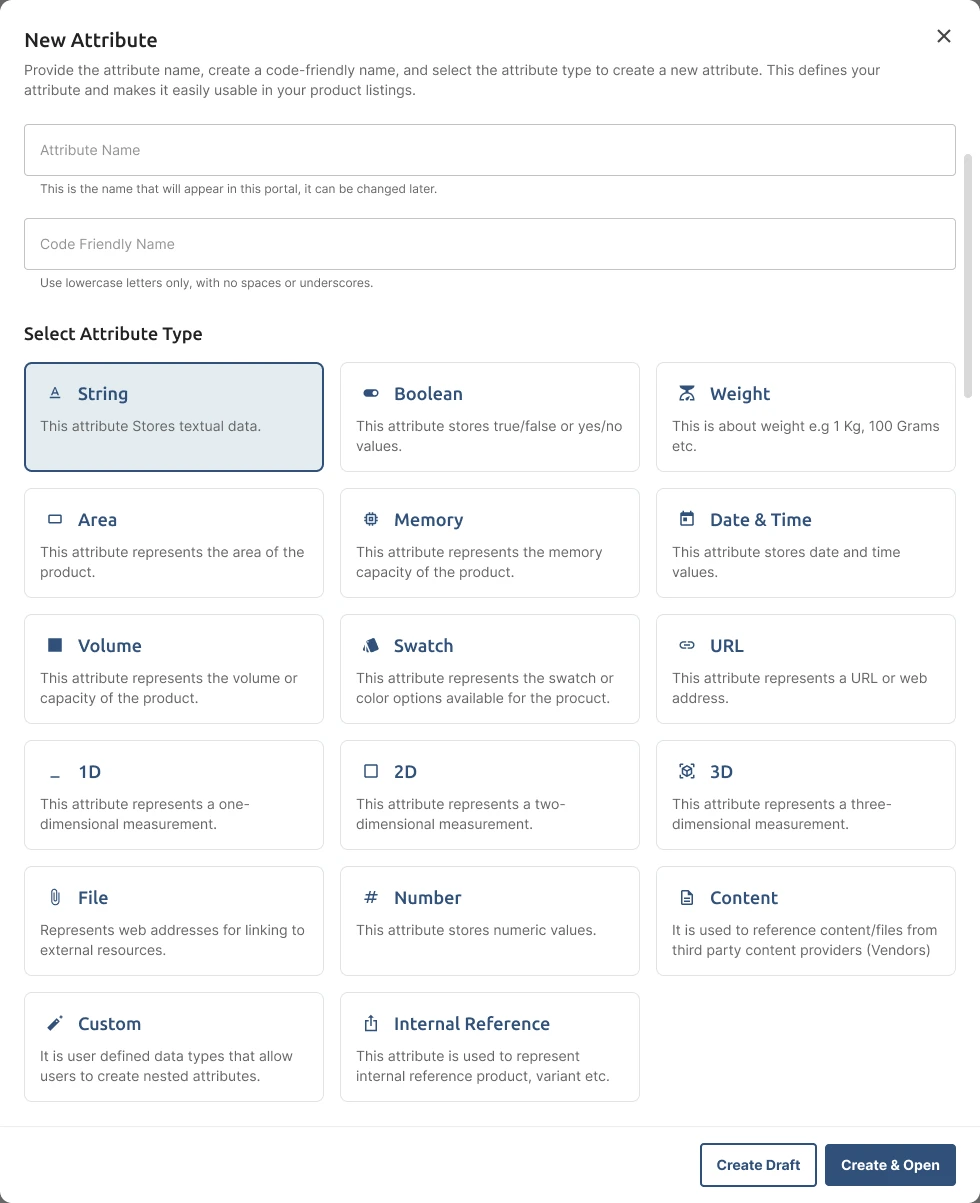
Create an attribute
An attribute is one detail about a product, like Size or Firmness. You choose what kind of detail it is (text, number, weight, colour swatch or measurement) so the store knows how to show it.
- 02
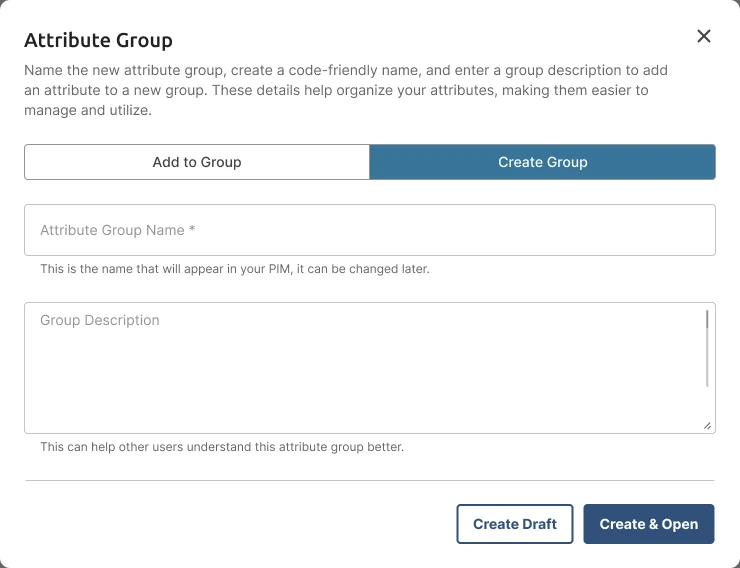
Group attributes that belong together
Width, length and height are always used together, so they become one group called Dimensions. Teams add the group once instead of three separate fields every time.
- 03
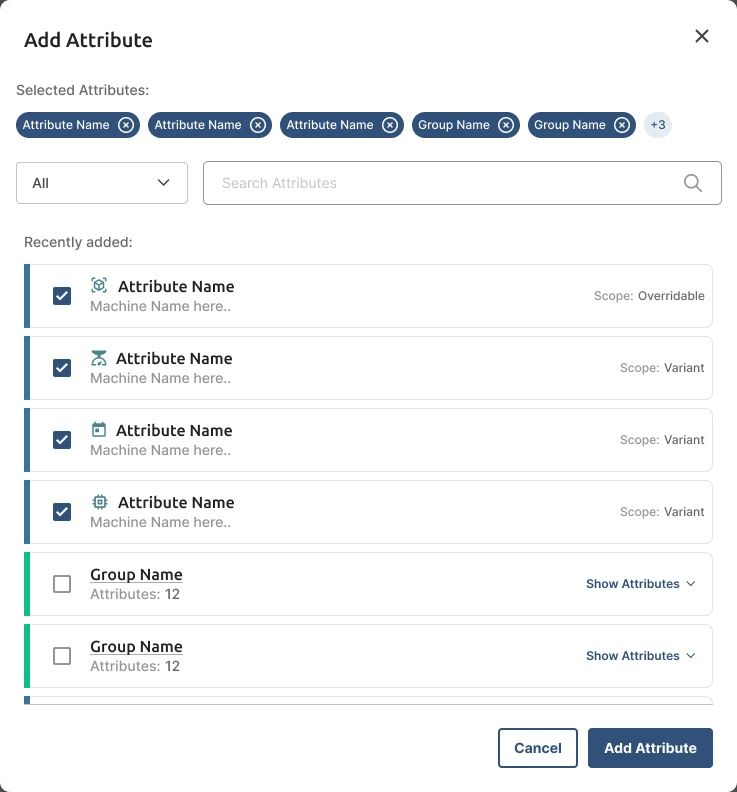
Add them to a product template
A template is the form for one type of product, like Mattress or Warranty. Pick single attributes, whole groups, or both, and add them to a section.
- 04
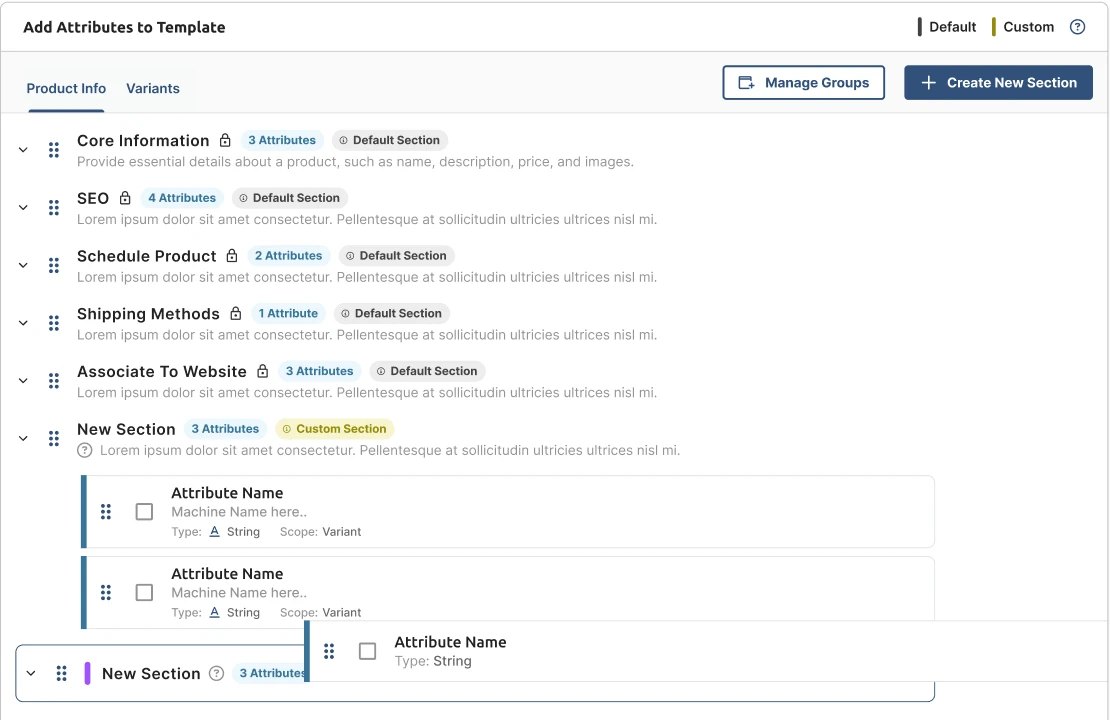
Arrange the form
Drag sections and attributes into the order the team fills them in. Sections every product needs, like Core Information and SEO, stay locked in place.
- 05
Create products from the template
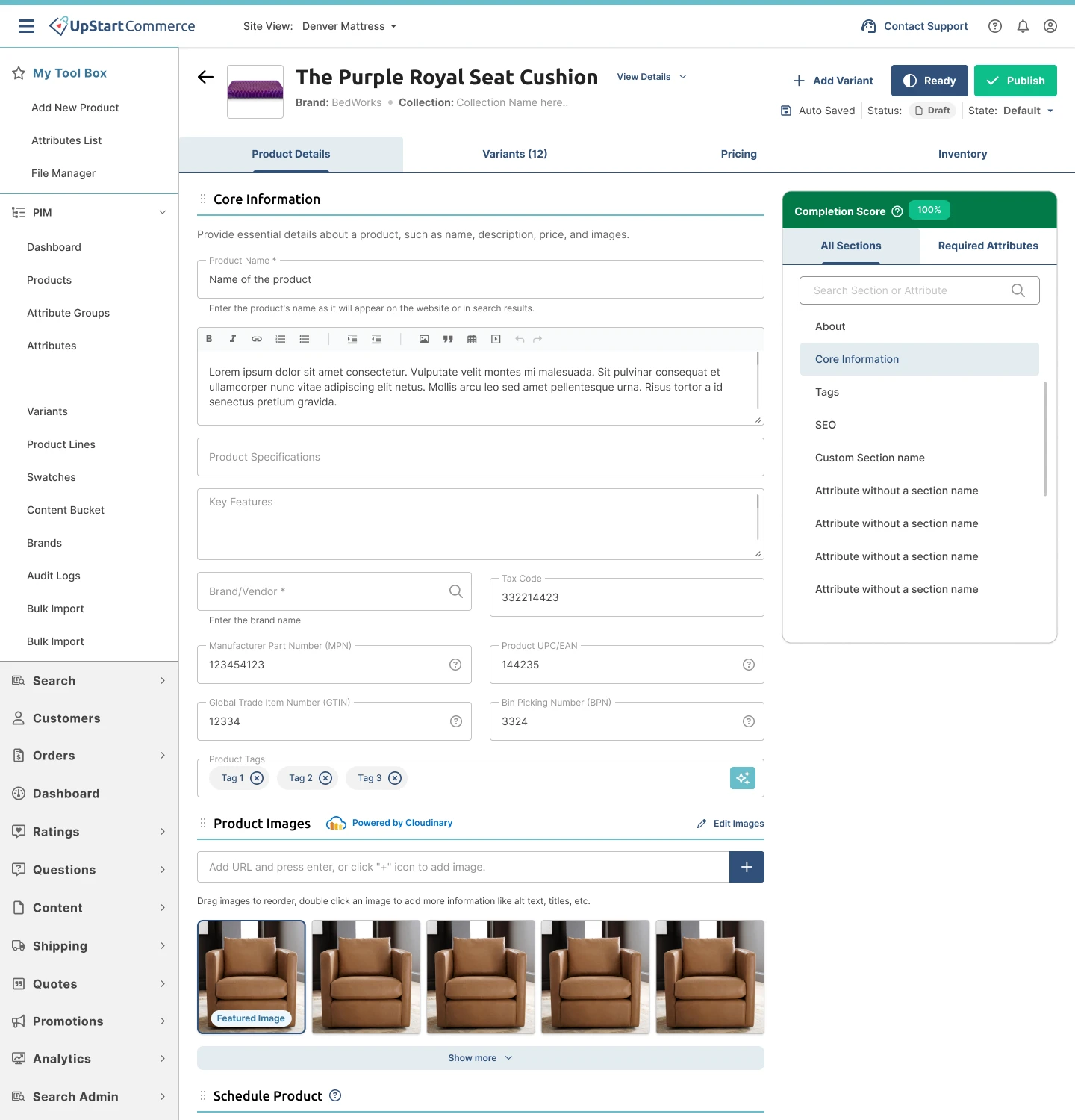
When someone adds a new mattress, the form already asks for the right details. A completion score shows what’s still missing before it can go live.
Products already for sale stay safe
Changing a template can change every product built from it, including ones shoppers are buying right now. So changes are saved as drafts, and the PIM shows what they will affect before anything goes live.
See which products change
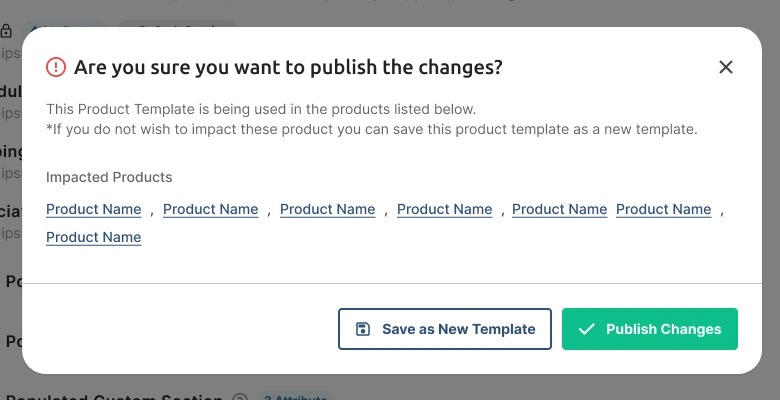
Publishing a template lists every product that uses it. If those products shouldn’t change, save it as a new template instead.
Publish many at once
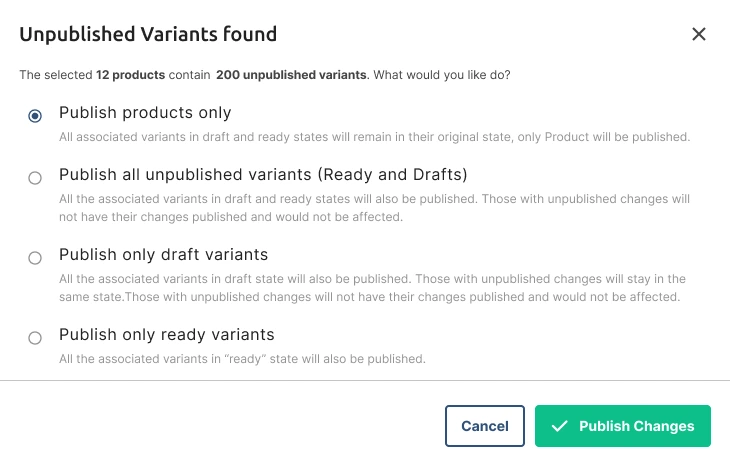
A product can have dozens of variants, like every size of a mattress. When publishing in bulk, teams choose whether the variants go live too, and see exactly what was published.
Learning the PIM while using it
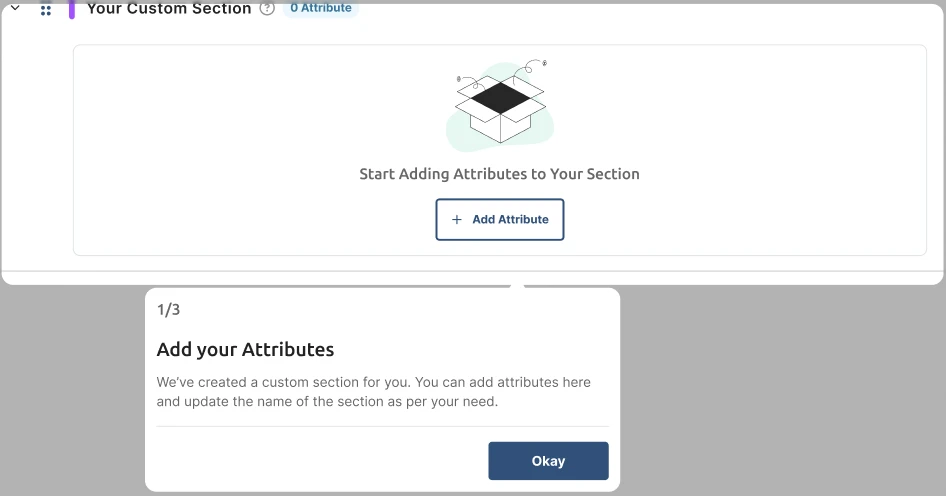
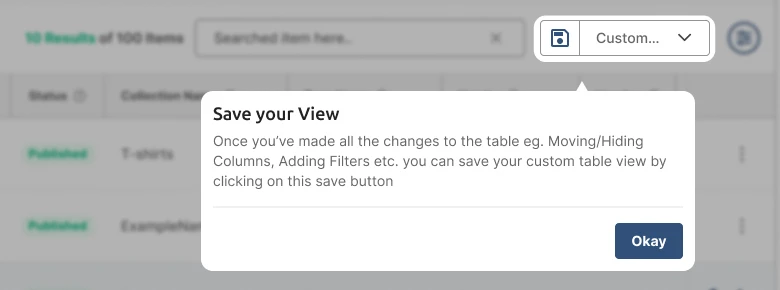
New team members shouldn’t need training to add their first product. Help appears inside the page, at the moment it’s needed.

Also designed
- Variants
- Swatches
- Brands
- Bulk import
- Downloads
- Audit logs
- Media library
- AI prompts
Set up once, reused for every product.